Handy tools to enhance desktop productivity
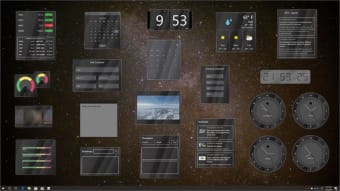
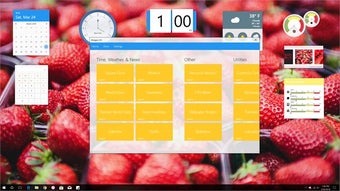
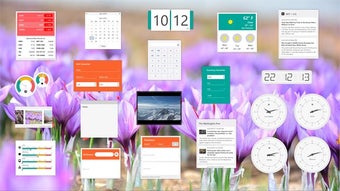
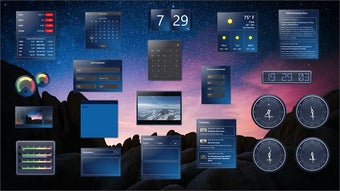
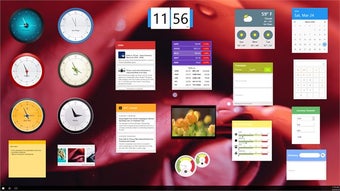
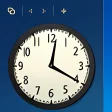
Desktop Gadgets is a lightweight utility that provides quick access to handy widgets directly on the desktop. It displays tools like clocks, calendars, weather updates, CPU meters, and sticky notes in one convenient view, helping users improve workflow and access essential information instantly without switching between multiple applications.
Originally introduced for older Windows systems, Desktop Gadgets continues to serve users who prefer practical, at-a-glance tools on their screens. The program brings customization and simplicity together, helping users personalize their workspace. Managing time, tracking system performance, or checking weather forecasts becomes easier without opening multiple apps or browser tabs.
Useful widgets for everyday tasks
Desktop Gadgets features a variety of mini-applications that perform different functions, including timekeeping, system monitoring, and weather updates. Users can easily choose and position these widgets anywhere on their desktop. While it offers customization options like resizing and adjusting transparency, its outdated interface design and poor integration with modern Windows versions make it feel less polished and occasionally incompatible compared to newer desktop utility tools.
The program supports both built-in and third-party gadgets, offering flexibility for different needs. Users can download additional widgets online, from clocks and calendars to currency converters and RSS feed readers. However, it suffers from limited advanced customization options and fewer updates or new widget additions, which can make the experience feel stagnant and less adaptable compared to modern, actively developed alternatives.
Alternatives include Rainmeter, XWidget, and 8GadgetPack. These programs also offer customizable widgets and themes, but vary in performance, compatibility, and design. While Rainmeter emphasizes deep customization and visual creativity, this software focuses on accessibility and ease of use, making it more suitable for users who value straightforward setup, stable performance, and essential desktop functionality over complex or resource-heavy customization features.
A simple way to stay organized
Desktop Gadgets remain a reliable choice for users who appreciate functional, lightweight desktop utilities. While many modern systems already integrate similar tools, this program continues to offer convenient access and straightforward control. It is best suited for users who value simplicity, practicality, and efficiency when organizing everyday digital tasks, maintaining productivity, and keeping essential information visible directly from their desktop without unnecessary complexity or distractions.